Creating virtualbox shared folder on Oracle Solaris 11 Guest
This article demonstrates steps for enabling a windows host shared folder to oracle solaris 11 guest operating system in a virtualbox environment. Before reading further please make sure that "guest additions" are already Installed and configured on a guest OS.

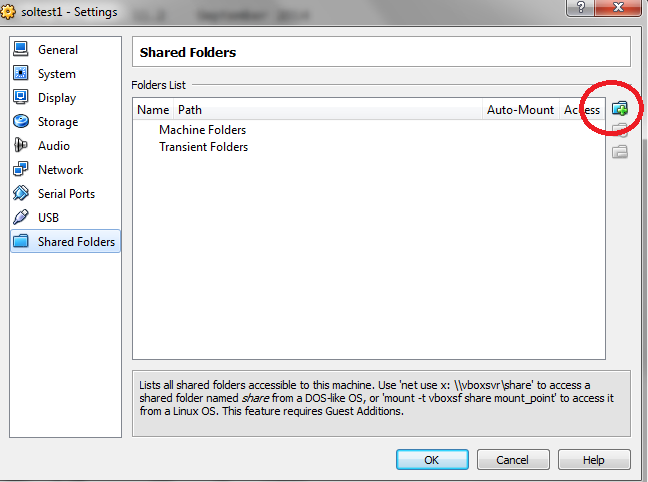


1) Create and configure shared folder for a virtual machine:
Create any directory which you want to share at your desired location. I've used "E:\solshare"
>> Navigate to devices > shared folders
>> click on icon to add a new shared folder to guest OS
>> click on "Folder Path" and add the required folder for enabling sharing.
>> check box - If you want to make this shared as permanent and auto-mount enabled. It will be persistent on reboots.
>> Verify the configuration of shared folder
2) Mount share folder on guest OS (solaris11):
>> Verify the existing mount-points
root@soltest1:~# df -h
Filesystem             Size   Used  Available Capacity  Mounted on
rpool/ROOT/solaris11_sru234

rpool                   98G   5.0M        70G     1%    /rpool
rpool/VARSHARE/zones    98G    31K        70G     1%    /system/zones
rpool/VARSHARE/pkg      98G    32K        70G     1%    /var/share/pkg
rpool/VARSHARE/pkg/repositories
                        98G    31K        70G     1%    /var/share/pkg/repositories
/dev/dsk/c1t1d0s2      6.8G   6.8G         0K   100%    /media/SOL_REPO_11_2
root@soltest1:~#
>> Mount the share folder using below command
root@soltest1:~# mkdir /solshare
root@soltest1:~# mount -F vboxfs -o uid=1234,gid=5678 solshare /solshare
root@soltest1:~# df -h
Filesystem             Size   Used  Available Capacity  Mounted on

/dev/dsk/c1t1d0s2      6.8G   6.8G         0K   100%    /media/SOL_REPO_11_2
solshare               932G   911G        21G    98%    /solshare
root@soltest1:~#
In Linux its not required to mount the vbox file system manually. Vbox guest additions will mount the file system.
3) Verify the share is working properly
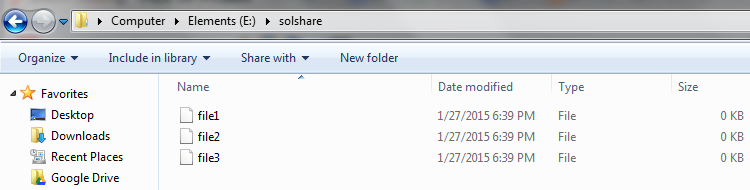
Now i will create the file in solaris and same files you can use it windows and military files created in windows can be used by solaris OS.
.
Hope it helps :)
thanks for reading.
regards,
Zaheer

Comments